Telemetry settings determine whether PeerGFS sends anonymous diagnostic data to Peer Software and whether Proactive Monitoring is enabled.
For conceptual information about telemetry, anonymous diagnostic data, and Proactive Monitoring, see Telemetry in Advanced Topics.
Note: Proactive Monitoring is available only to customers with dedicated Technical Account Managers (TAMs).
To configure Telemetry:
1.Select Open Preferences from the Tools menu.
2.Select Telemetry in the navigation tree.
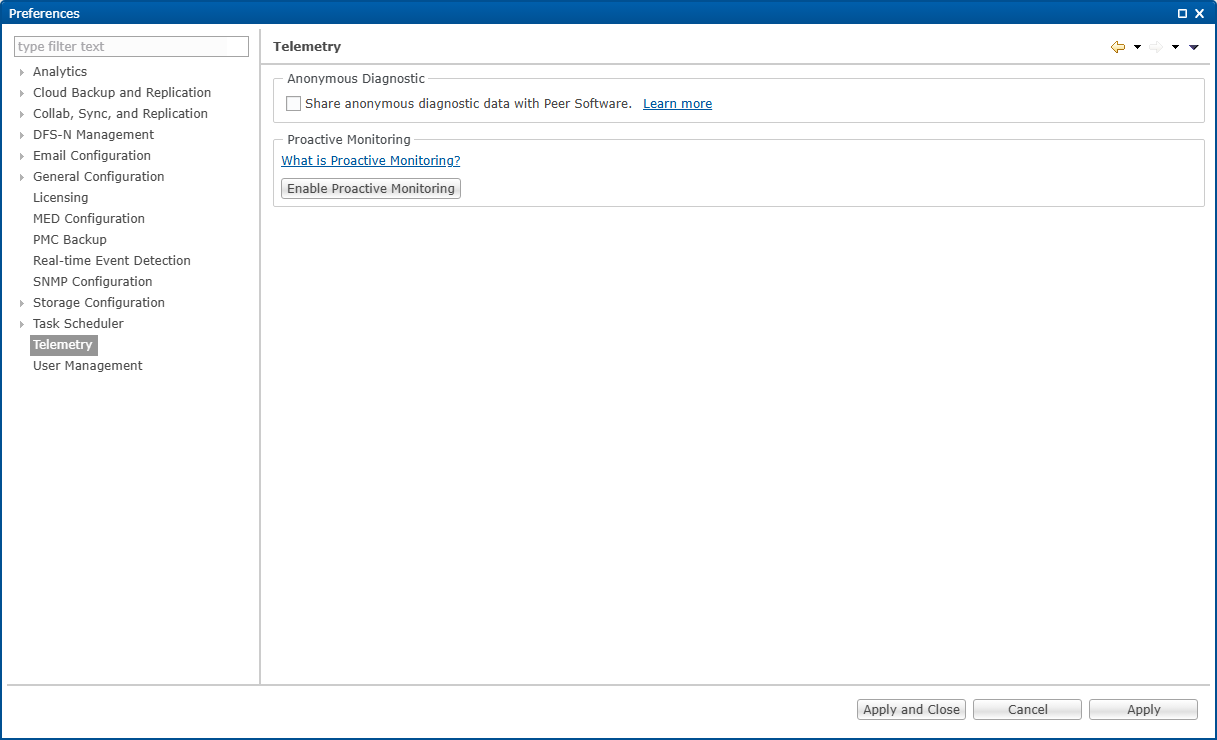
3.Modify the settings as needed.
Option |
Description |
|---|---|
Share anonymous diagnostic data with Peer Software |
Select this checkbox to send anonymized diagnostic data to Peer Software. Click Learn more for additional information about anonymous diagnostic data. |
Enable Proactive Monitoring |
Click this button to enable Proactive Monitoring, and then complete the Proactive Monitoring Setup wizard. Click What is Proactive Monitoring? for additional information about Proactive Monitoring. |
4.Click Apply to save your changes.