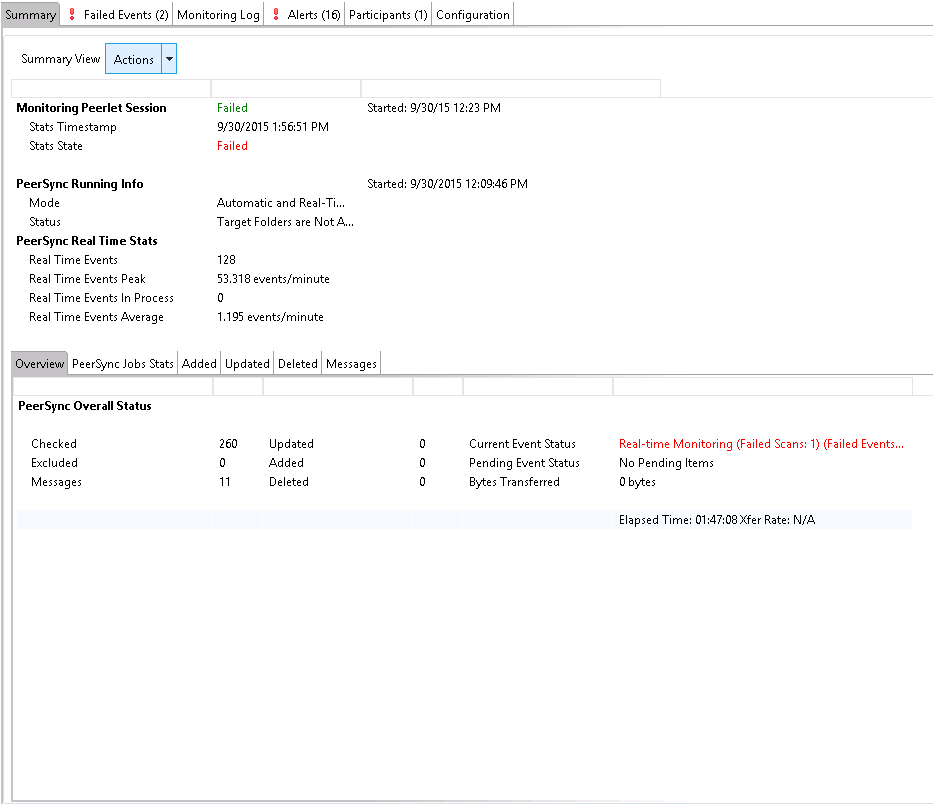
Double-clicking on the file synchronization job from the Synchronization Summary view will open the job-specific runtime views.
|
<< Click to Display Table of Contents >> Navigation: Peer Management Center Help > File Synchronization > Running and Managing a File Synchronization Job > Runtime Job Views |
Double-clicking on the file synchronization job from the Synchronization Summary view will open the job-specific runtime views.