The Jobs perspective can be divided into four quadrants, with each quadrant displaying information in panels called views. These views provide access to job configuration information, runtime activity, environment status, alerts, and operational metrics.
The following illustration identifies the primary quadrants and views available in the Jobs perspective.
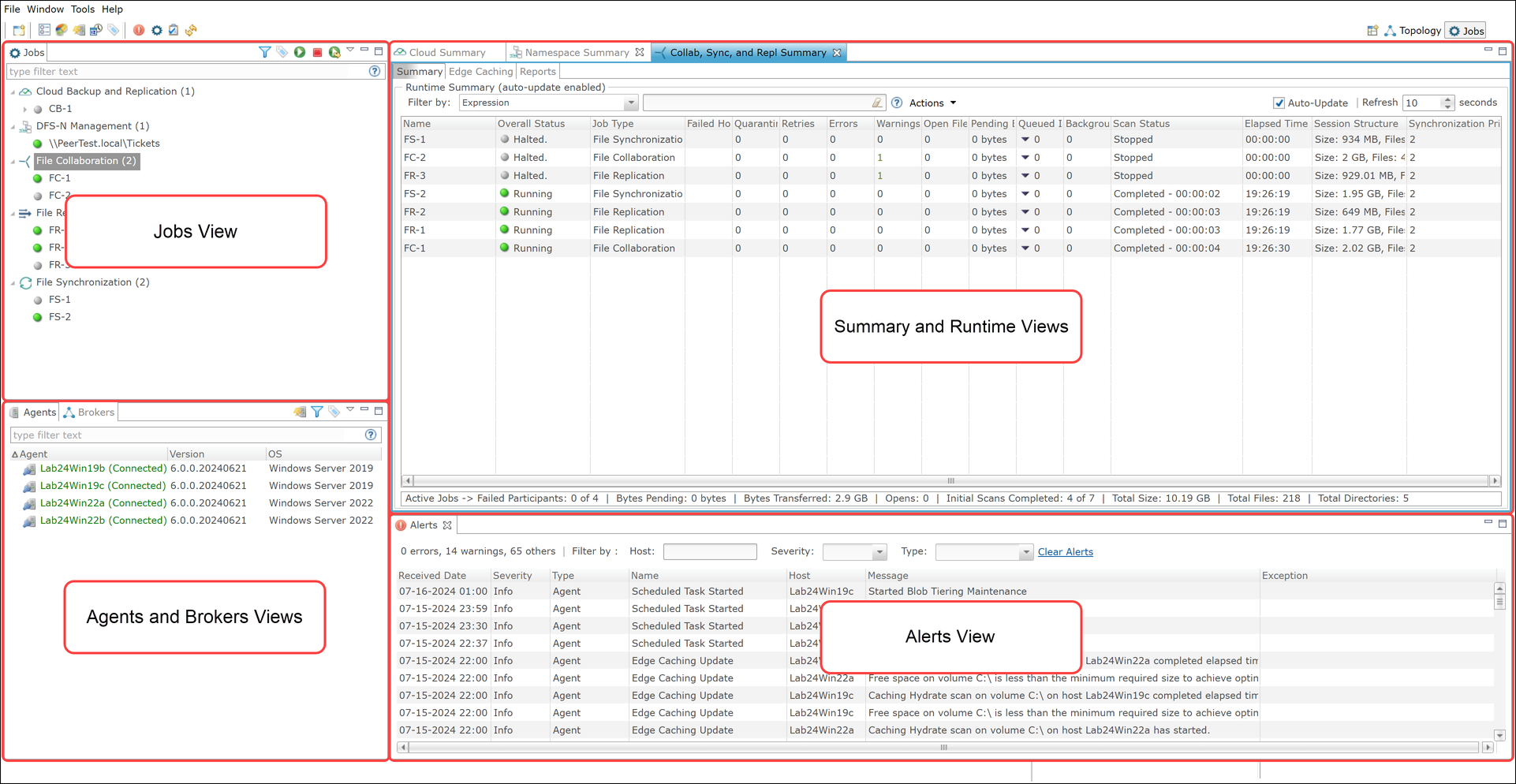
Views in the Jobs Perspective
The views in the Jobs perspective are described in the following table.
Views |
Description |
|---|---|
Jobs view |
Displays a list of all jobs grouped by job type. The toolbar in this view provides options to start and stop jobs. This view also provides access to job-specific configuration, status, and activity information. |
Agents and Brokers vews |
Contains two views: •Agents view – Displays a list of known Peer Agents and the connection status for each. Individual Peer Agents can be updated and restarted by right-clicking one or more Agents and selecting the appropriate action from the shortcut menu. •Brokers view – Displays all known brokers installed in the environment along with the Agents connected to each broker. Actions available in the Agents view can also be performed by right-clicking an Agent within the Brokers view. |
Summary and Runtime views |
Displays several types of operational views, including a dashboard that provide metrics and key performance indicators, summaries of jobs by job type, an Agent Summary view, and runtime statistics for individual jobs. The Agent Summary view displays all known deployed Peer Agents and detailed status information that can be used to assess the health of the environment. Some views in this area display a combination of Runtime statistics for individual jobs. real-time file I/O activity, history, and configuration information for a specific job, while others display summary information about all jobs of a specific type. Some views in this area display runtime statistics, real-time file I/O activity, history, and configuration information for a specific job, while others display summary information about all jobs of a specific type. |
Alerts views |
Contains a variety of alert views, including the Alerts view and the Jobs Alerts view: •Alerts view: Displays a list of Peer Management Center alerts with detailed information about each alert. Alerts relating to Peer Agent connection status changes are reported here. •Jobs Alerts view: Displays a list of job-specific alerts that have occurred, include alerts relating to the automatic stopping and restarting of jobs. |