These settings control analytics reporting to PeerIQ, reporting intervals, and display options for Analytics jobs.
To configure these settings:
1.Select Open Preferences from the Tools menu.
2.Select Analytics in the navigation tree.
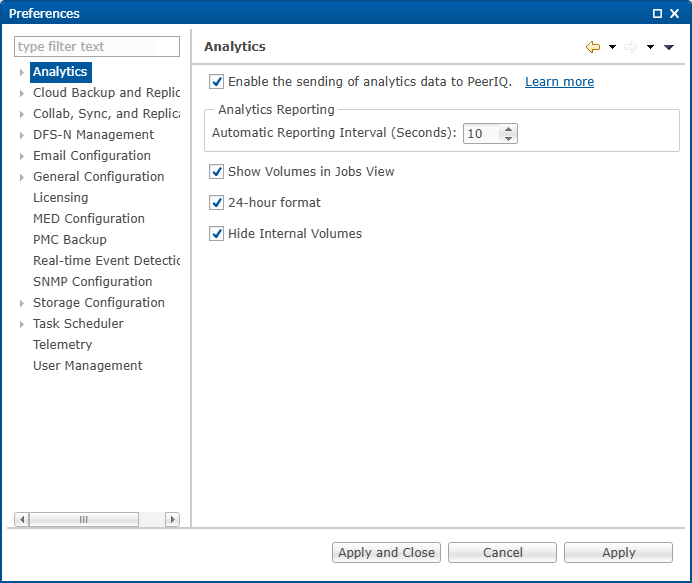
3.Modify the settings as needed.
Option |
Description |
|---|---|
Enable the sending of analytics data to PeerIQ |
Sends analytics data to PeerIQ. Click Learn more for additional information about analytics reporting. |
Automatic Reporting Interval (Seconds) |
Specifies how often each Peer Agent reports statistics for Analytics jobs to PeerIQ. The default is 10 seconds. |
Show Volumes in Jobs View |
Displays volumes in the Jobs view. |
24-hour format |
Displays times in a 24-hour format rather than a 12-hour format. |
Hide Internal Volumes |
Hides internal volumes when choosing which which volumes to use in Analytics jobs. |
4.Click Apply to save your changes.